Folian

A private writing OS for serious authors

Folian brings your manuscript, story bible, canon, decisions, research and optional AI context into one local-first desktop workspace.

Local-first desktop app · Optional AI · Built for real manuscripts

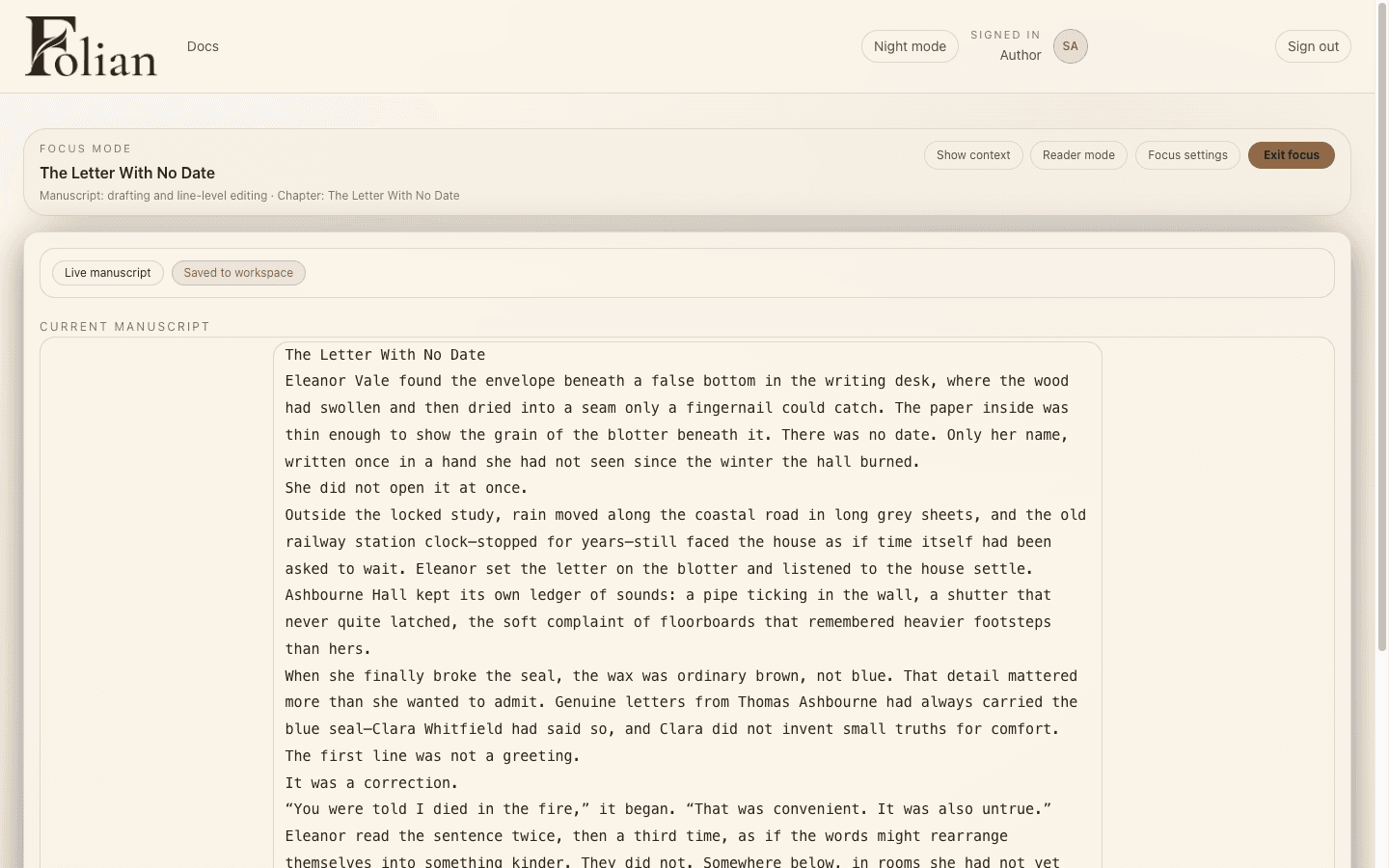
Folian writing software showing The Ashbourne Letters manuscript in a paper themed writing workspace.

The problem

A book is more than a document

Serious authors manage chapters, scenes, character memory, canon, research, timelines, creative decisions and revision notes, alongside continuity that has to hold for the length of the project. Folian gives that hidden architecture a home.

Product tour

See Folian in action

A serious manuscript needs more than a blank page. Folian keeps the writing, memory and structure of the book in one workspace.

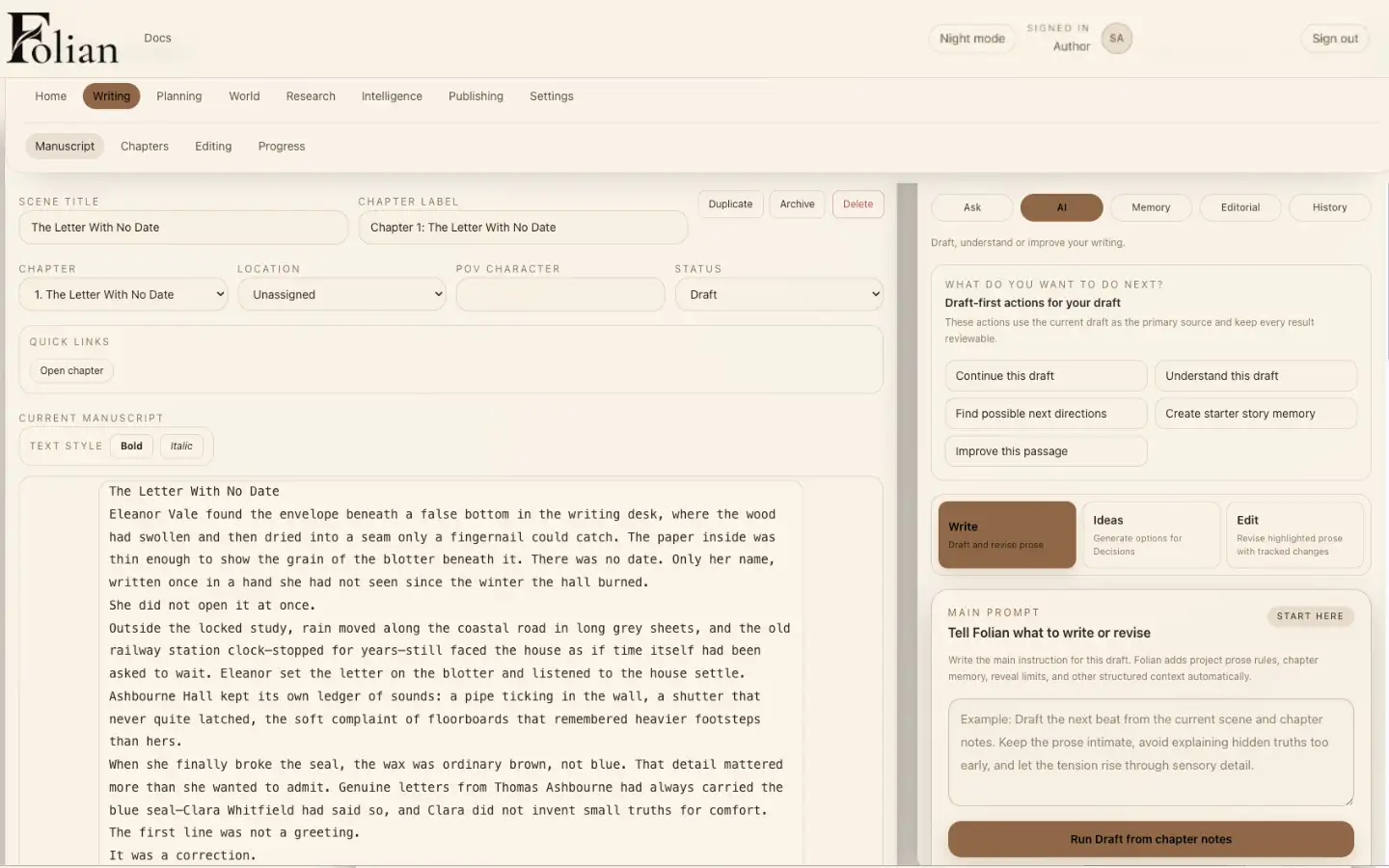
Folian manuscript workspace showing chapter structure and prose from The Ashbourne Letters.

Write inside the structure of the book

Draft scenes with chapter structure, notes and project context close at hand.

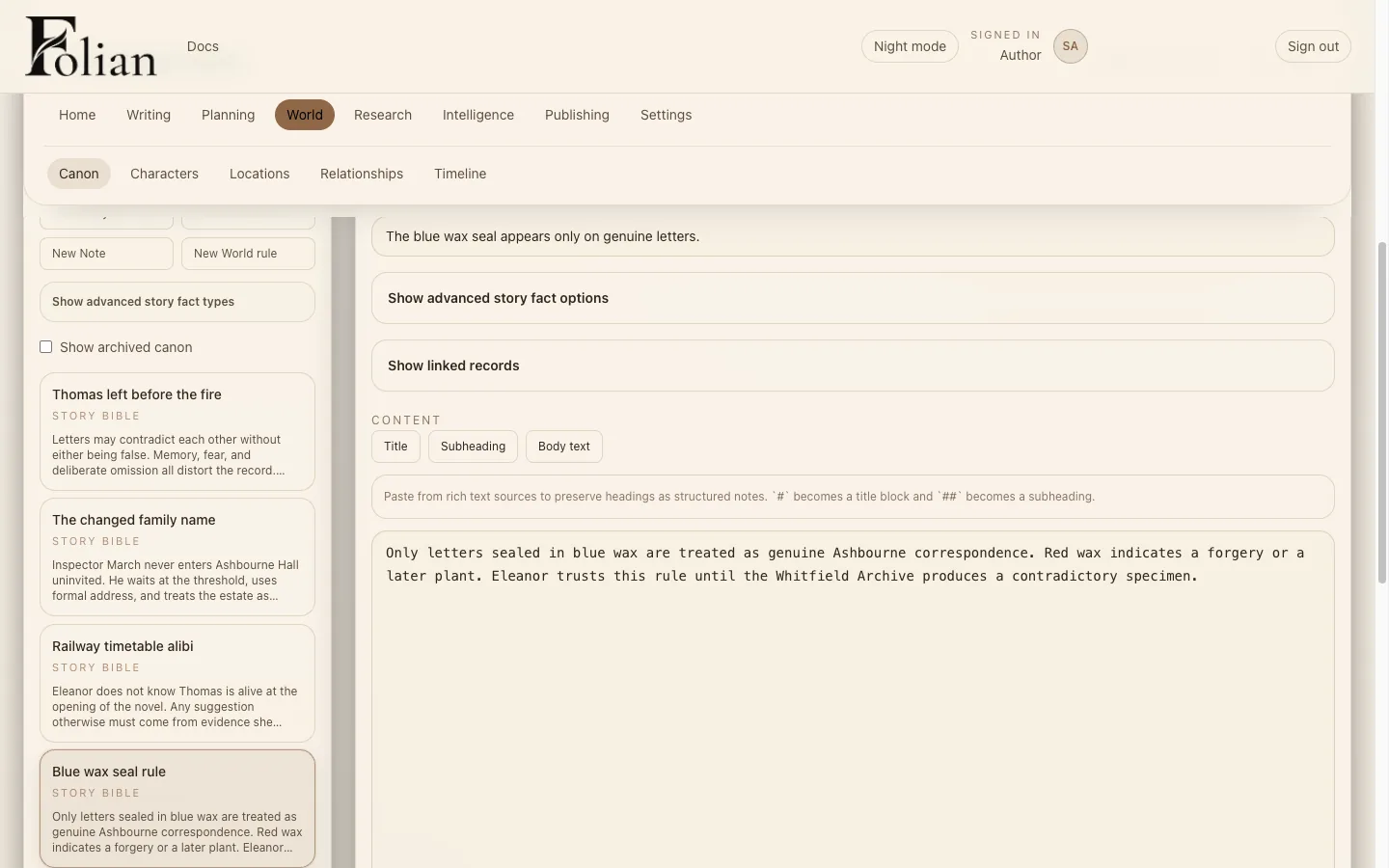
Folian story bible and canon workspace showing rules for The Ashbourne Letters.

Keep canon where the manuscript can use it

Track characters, places, rules and continuity so the hidden architecture of the story stays visible.

Why Folian

Built for the hidden architecture of a book

Folian works as novel writing software for the parts of a manuscript most tools ignore, built as a writing OS for authors who want the whole project in one place.

Manuscript and structure
Chapters, scenes and revision notes live in the same workspace as the draft.
Story bible and canon
Characters, places and world rules stay connected to the manuscript, not in a separate document.
Decisions and continuity
Save the creative choices behind the book so a long project does not contradict itself later.
Research and revision
Keep research and editorial notes attached to the project instead of scattered across tabs.
Optional AI with project context
When you use AI, it can draw on your manuscript, canon and decisions, not a blank prompt.
Local-first author control
Your project lives on your machine. You decide if and when AI is part of the workflow.

Where Folian fits

Not a document. Not a chatbot. Not a generator.

Scrivener is powerful, but many writers still manage canon, research and revision decisions manually around the draft. AI chatbots are flexible, but they lose the structure and memory of a long manuscript. AI writing apps can generate prose, but the architecture of the book often lives somewhere else.

Folian is built around the manuscript, the book's memory and the author's control.

If you are comparing tools, our notes on the best writing app for novels go into more detail on where each type of tool tends to hold up and where it tends to break down on a long manuscript.

Optional AI

AI is optional. The book stays yours.

Folian can use AI for drafting questions, research, revision and project-aware retrieval when you choose. It is not designed to replace the author. The manuscript, canon and decisions stay in view, and AI stays optional.

AI runs on a bring-your-own-keys model: you connect your own provider, stay in control of usage, and decide where it belongs in your process. No AI is required for the core writing system. That is a different starting point from most AI writing software for authors, which usually puts the model at the centre of the product.

Local-first by design

Your manuscript lives on your machine

Folian is local-first desktop software. Your manuscript lives on your machine. AI is optional and only used when you configure it. The centre of the product is still your project, your structure and your words.

  • Desktop app, not a browser tab you lose to a tab crash
  • Local-first: your manuscript and project files live on your machine
  • Author-owned project: no cloud sign-in required to write
  • AI is optional and only active once you add your own API key
  • Bring your own keys, so you control provider, model and cost

Early access

Built for the manuscript you're already writing

Early access is open to the waitlist while the desktop app is prepared for paid beta. Built for authors already working on a real manuscript.

Who it is for

For writers whose projects have too much truth to keep in their head

Novelists

Use Folian as novel writing software for drafting, chapter planning, revision and long-form manuscript control.

Fantasy and worldbuilding writers

Manage canon, lore, locations, factions, magic systems, history and reveal order in one story bible.

Series authors

Track continuity, recurring characters, unresolved arcs, cross-book story truth and long-term canon.

Memoir and nonfiction writers

Organise chapters, sections, references, people, places, decisions and exportable drafts.

Screenwriters and scripted storytellers

Plan scripts, series, acts, episodes, scenes, dialogue, story maps and franchise continuity.

Writers using AI carefully

Use AI writing assistance without giving up control of voice, canon, decisions and authorship.

FAQ

Common questions about Folian

What is Folian?
Folian is a local-first writing OS for authors working on novels, series and other complex manuscripts. It brings your manuscript, story bible, canon, decisions and research into one desktop workspace, with AI available as an optional layer, not the main event.
Is Folian an AI writing tool?
Not primarily. Folian is a writing OS, not an AI writing tool. You can use the full manuscript, story bible, canon and decisions workspace without ever turning AI on. AI is one optional feature inside a larger system built around your book.
Does Folian work like Scrivener?
Folian and Scrivener share some ground: both are serious manuscript tools, not blank documents. Scrivener is a well-established editor, and many writers still track canon, research and revision decisions manually around it. Folian keeps that structure inside the same workspace as the draft, alongside optional AI with project context.
Is Folian local-first?
Yes. Folian is local-first desktop software. Your manuscript and project files live on your machine, and AI only runs when you configure it with your own API key.
Can Folian help manage a story bible?
Yes. Folian includes a story bible and canon workspace for characters, places, world rules and continuity, connected to the manuscript so the story's memory stays visible while you draft. Read more about Folian's approach to story bible software.
Can Folian help with canon and continuity?
Yes. Folian's canon and decisions workspaces let you record the rules and creative choices behind a manuscript, so a long project does not quietly contradict itself later. See how Folian approaches canon management for authors.
Does Folian require AI?
No. The core writing system, manuscript, story bible, canon, decisions and research, works without AI. AI is optional and only activates once you bring your own API key.
Who is Folian for?
Folian is for authors working on novels, series, screenplays and other long-form or structurally complex manuscripts who want their manuscript, story bible, canon, decisions and research in one place instead of scattered across documents, notes and chat threads.
When will the paid beta be available?
Folian is currently in early access, open to the waitlist while the desktop app is prepared for paid beta. Timing depends on the desktop app being fully packaged, signed and tested. Join the waitlist for the most accurate updates as that date gets closer.

Early access

Request early access to Folian

Early access is open to the waitlist while the desktop app is prepared for paid beta. Built for authors already working on a real manuscript.

No spam. No noise. Just Folian updates, tester access and launch information.